
Patron Codes are available to paid supporters and unlock additional costumes, events, and paid mods where applicable.
Each Patron Code is tied to a specific game version, including patches for that version. For example, a code for v0.25 works with v0.25, v0.25.1, v0.25.5, and so on, but v0.26 requires a new code.
A code can be used on multiple devices, including PC and mobile. A code that has already been issued continues to work for its game version even after the subscription ends. Codes shared publicly may be banned.
How to get a Patron Code#
- Open the Personal Cabinet.
- Sign in using the service where you support the game.
- Patreon: click Login with Patreon, then allow access when Patreon asks.
- Boosty: choose Login with Boosty, enter the same email address you use on Boosty, then use the login link sent to that email.
- The Cabinet shows the Patron Codes available for your game versions.
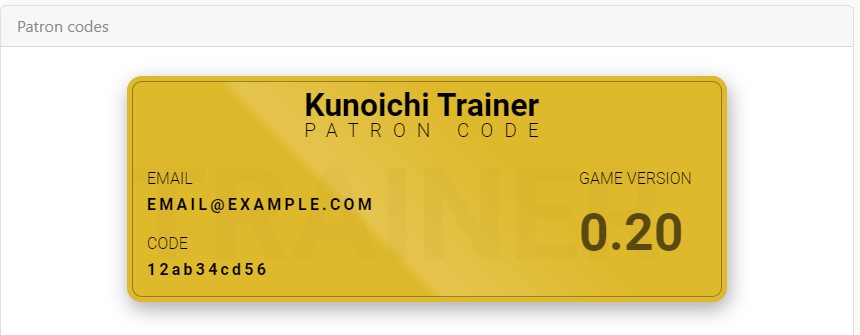
Where to enter the Patron Code#
- Open the game menu.
- Open Settings.
- Click Enter Patron Code.
- Enter the email associated with the code.
- Enter the Patron Code and confirm it.
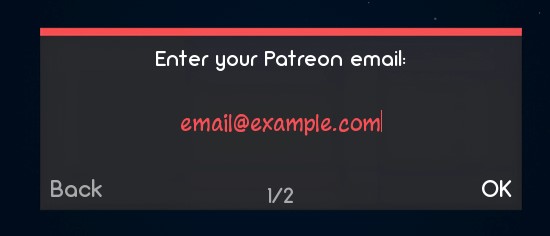
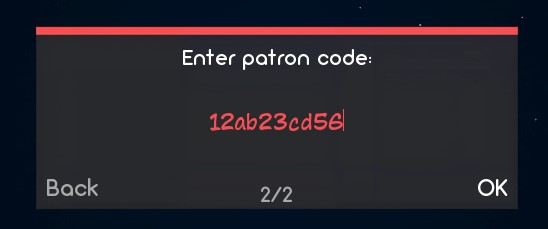
If the code is valid, the input closes and the game plays a success sound.
Can’t access the Personal Cabinet#
If you opened the Cabinet before becoming a paid supporter, use the option to refresh your supporter status. It can also take some time for a new payment to be processed and for the service to update your status.
Patron Code doesn’t work#
- Check that the game version and Patron Code version match.
- Check the email address and code for typos.
- Clear both fields and enter them again.
- Try again with a VPN enabled, or disable the VPN if one is already enabled.
- If the problem remains, contact Dinaki through the platform where you support the game.