
- Open the Kunoichi Trainer translation service.
- Open the language you want to translate.
- Select Not translated strings.
- If a string already has suggestions, vote for the best suggestion. An account is required to vote.
- If there are no suggestions, enter your own translation.
- Click Suggest.
- Repeat for the remaining strings.
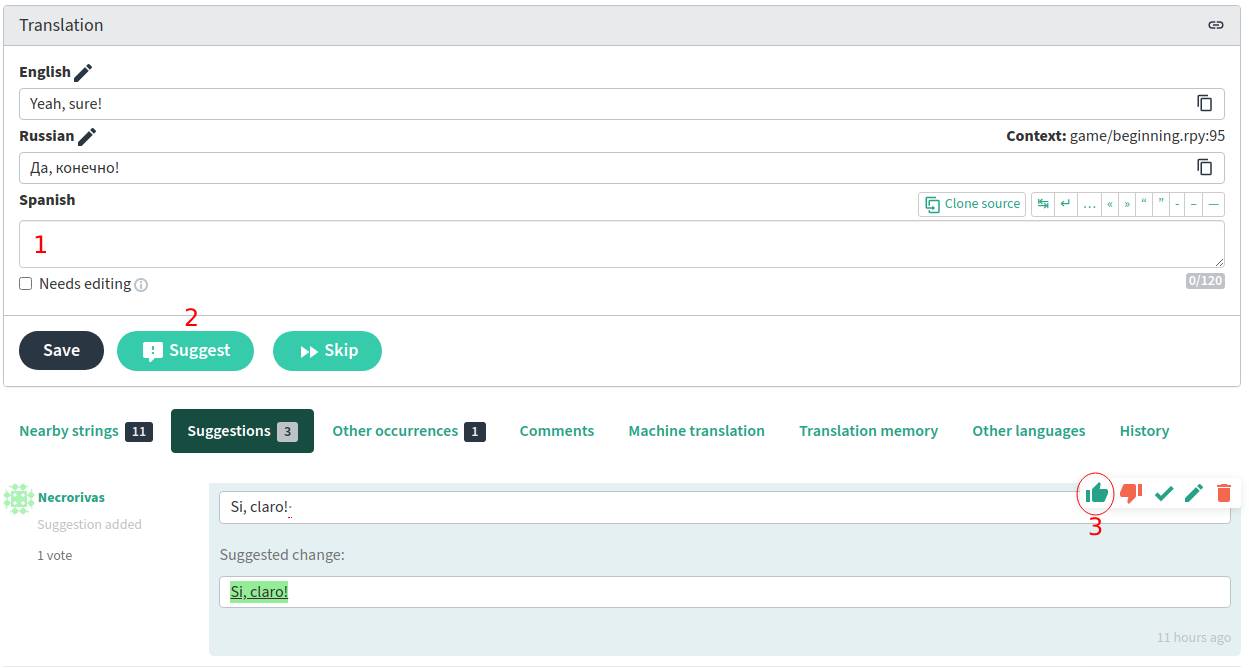
Suggestions with 3 votes are accepted automatically.
How to use English as a reference language#
- Log in or create an account on translate.kunoichi-trainer.ninja.
- Open account settings.
- Select English as a secondary language and save the changes.
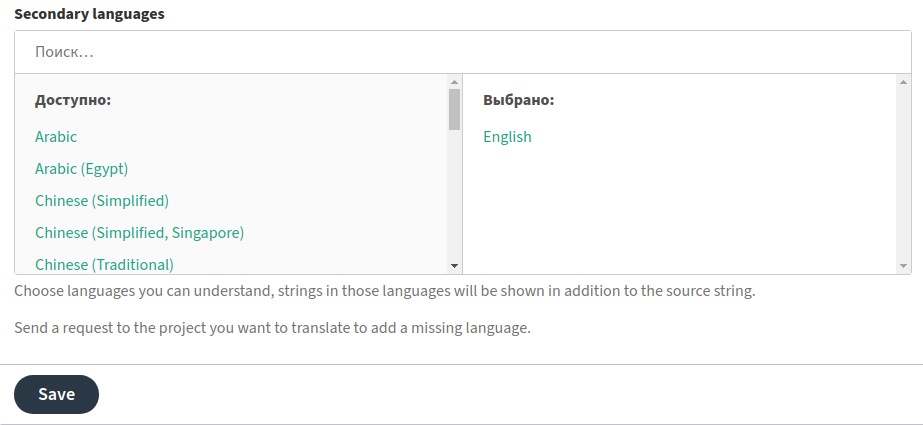
You will now see the English translation next to the original text.
Guidelines#
Curly brackets#
Do not translate or remove formatting commands inside { and }. Ren’Py uses them for text styling and other special text behavior. See the Ren’Py text documentation.
Some strings contain empty {} brackets. The game replaces them with a value at runtime, so they must remain unchanged.
| English | Translated |
|---|---|
{size=+5}Hello{/size} |
{size=+5}Hola{/size} |
I tried {i}special Ayame's ramen{/i}!!! |
Probé {i}un ramen especial de Ayame{/i}!!! |
{#weekday}Sunday |
{#weekday}Domingo |
Price: {} Ryo |
Precio: {} Ryo |
Square brackets#
Do not translate or remove expressions inside [ and ]. They are used to insert game variables into the text.
| English | Translated |
|---|---|
Hi, [player_name]. |
Hola, [player_name]. |
Ino's lust: [stats[Ino][lust]] |
Lujuria de Ino: [stats[Ino][lust]] |
One second... here, [price] Ryo. |
Un segundo... aquí, [price] Ryo. |
How to add a new language#
If the language you want is not available, contact Dinaki in the Discord server. A new language can be created and an active translator can be made its moderator. Languages with no meaningful translation progress may be removed later.